AIGotcha2! Hardware Installation
|
AIGotcha2! Hardware Installation |
|
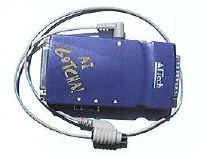
Please be advised that you MUST install the power adapter for the AIGotcha2! for this device to work. The AIGotcha2! will NOT work without the installation of the proper power adapter cord.
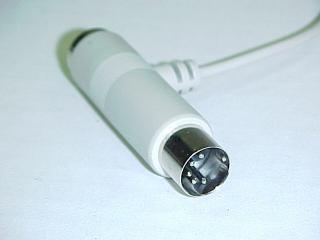
You received two adapters for your AIGotcha2!: one for the older AT (or ISA) type keyboard connector and one for the newer PS/2 keyboard connector (see images below).
 |
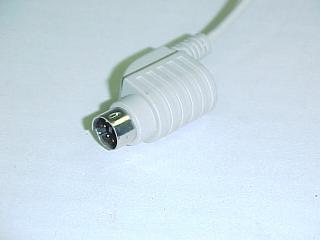 |
| Larger ISA (or AT) Power Connector - 5 pins | Smaller PS/2 Power Connector - 6 pins |
You will also have received one extension cable for installing the AIGotcha2! device itself (see figures 5 and 6 below).
Please follow the steps outlined below for installing the AIGotcha2! device on your computer. Also see the FAQ's (AIGotcha!2 FAQ's) for information and graphics on installing the AIGotcha2! on a laptop.
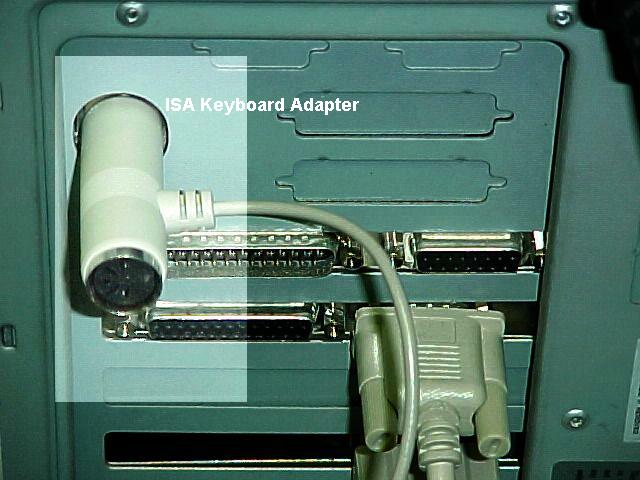
Figure 1 - showing installation of the AT power adapter.
The installation of your power adapter and keyboard cords should look like either figure 2 or figure 3 below. Be sure to install the connectors carefully so as not to damage the small pins in the connectors. Do not twist the connectors together to make them match - match the pins and locators before trying to place them together.
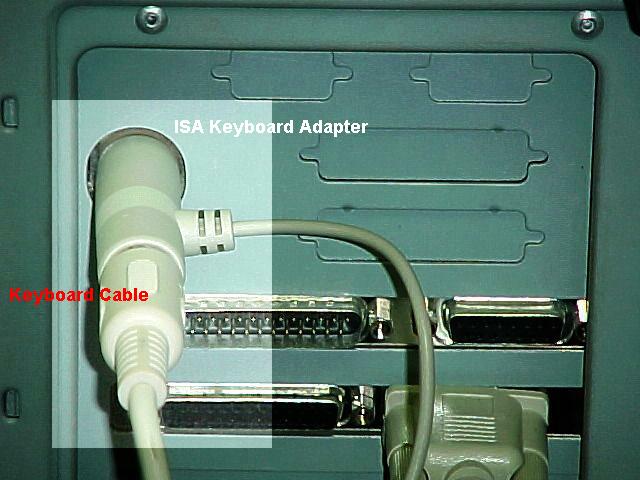
Figure 2 - Showing AT keyboard adapter with keyboard plugged in.
In some cases it may be necessary to temporarily remove one or more of the existing cables in order to install the keyboard and power adapter cables. It is wise to turn the rear of the computer directly toward yourself so you can see the proper connectors. Do not try to bend over the back of the computer and feel for the sockets to install the connectors. It is very awkward and difficult to do this.
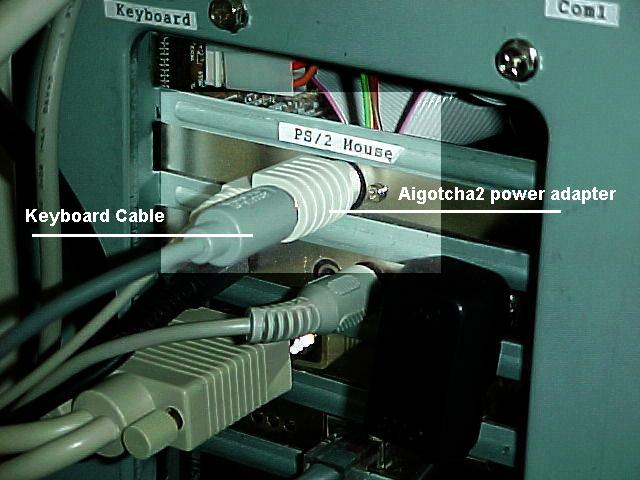
Figure 3 - showing PS/2 power adapter with keyboard cable installed.
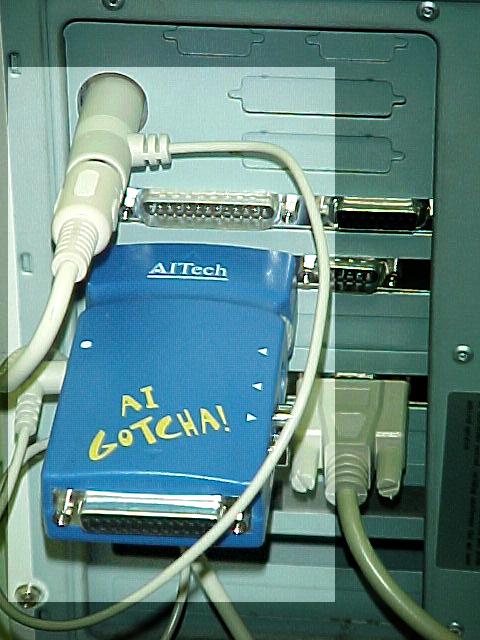
Figure 4 - showing AT power adapter and AIGotcha2! installed directly on the printer port.
If you cannot fit the AIGotcha!2 directly to your printer port you will need to install the short extension cable that is supplied in the box with your AIGotcha!2.
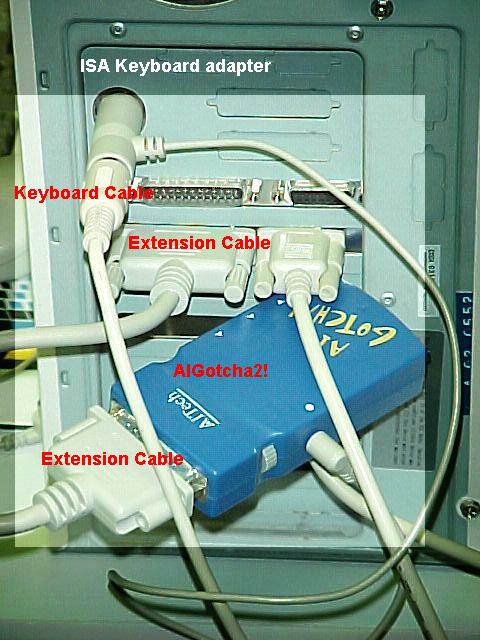
Figure 5 - showing AT power adapter and AIGotcha2! installed on the extension cable.
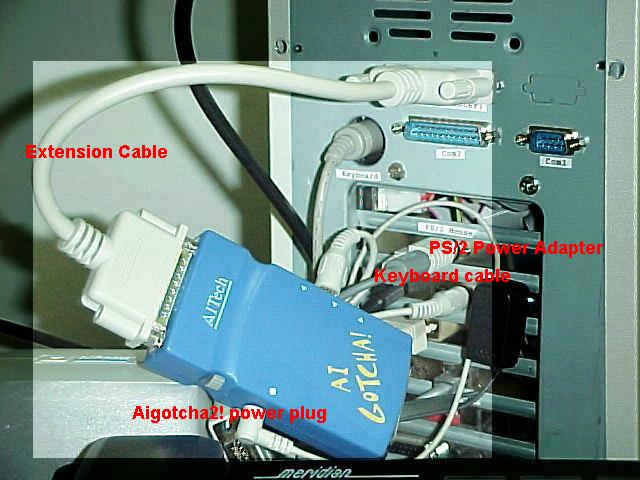
Figure 6 - showing PS/2 adapter with AIGotcha2! on the extension cable.
Last update 09-17-02